GoHighLevel HIPAA compliance: what it covers and how to set it up
GoHighLevel is not HIPAA compliant by default. It becomes usable for patient data once the agency buys HighLevel’s HIPAA add-on ($297 a month (checked on help.gohighlevel.com)), signs HighLevel’s Business Associate Agreement (BAA) and switches HIPAA on for each sub-account. After that, GoHighLevel HIPAA compliance depends on how the account is built: who can log in, what messages say and which tools are connected.
Key takeaways
- GoHighLevel accounts are not HIPAA compliant until the HIPAA add-on is bought and the BAA is signed.
- The add-on costs $297 a month per agency and can never be cancelled or removed.
- HIPAA has to be switched on separately in every sub-account that holds patient data.
- HighLevel’s BAA covers HighLevel only. Every connected tool that touches patient data needs its own BAA.
- Most compliance problems come from the build, not the platform: shared logins, health details in texts, and integrations like Zapier carrying patient data.
Is GoHighLevel HIPAA compliant?
GoHighLevel can be HIPAA compliant, but only after setup. HighLevel’s help center states that accounts are “NOT HIPAA compliant by default.” The HIPAA add-on adds encryption of patient data, a signed BAA, audit logging and enforced multi-factor authentication. The business using it is still responsible for using the account in a compliant way.
HIPAA applies to covered entities (healthcare providers, health plans, clearinghouses) and to their business associates: any vendor that creates, receives, stores or sends protected health information (PHI) for them. A clinic that keeps patient records, forms or appointment details in GoHighLevel needs a BAA with HighLevel, and with its agency if the agency can see that data.
This page explains how the platform works. It isn’t legal advice; your compliance officer or healthcare attorney has the final say on your setup.
What does the GoHighLevel HIPAA add-on cover?
The HIPAA add-on turns on four protections across the agency: encryption of electronic PHI, a Business Associate Agreement, audit logging, and enforced multi-factor authentication. According to HighLevel’s help center (checked on help.gohighlevel.com), data is encrypted at rest with 256-bit AES, and the HighLevel mobile app’s Conversations, Calendars and Contacts inherit the same controls.
| Item | What HighLevel's help center says |
|---|---|
| Price | $297 a month per agency, on any agency plan |
| What's encrypted | Contacts, notes, custom fields, SMS/MMS, voice recordings, email bodies and attachments, form and survey submissions, calendars, invoices |
| BAA | Included. Signed and stored in HighLevel's Documents & Contracts, under Settings > Compliance |
| Security controls | Audit logging and enforced multi-factor authentication |
| AI | Reviews AI follows HIPAA handling in HIPAA sub-accounts. Other AI features aren't mentioned |
| Cancelling | Not possible. No cancellation, refund, removal or downgrade |
| Sub-accounts | HIPAA must be switched on in each sub-account, and can't be switched off |
| Transfers | A HIPAA sub-account can only move to another HIPAA-compliant agency |
What doesn’t the HIPAA add-on cover?
The add-on covers HighLevel’s own systems. It doesn’t cover the tools you connect, the way your team uses the account, or the agency running it. Four gaps come up in almost every healthcare account:
- Third-party integrations. Fax, e-signature, payment, telehealth, spreadsheet and automation tools sit outside HighLevel’s BAA. Each one that touches PHI needs its own signed BAA.
- AI features. HighLevel’s help article only confirms HIPAA handling for Reviews AI. Before AI chat, voice AI or content AI handles patient conversations, check with HighLevel that the feature is covered in writing.
- The agency. HighLevel’s help center says an agency must itself be fully compliant with HIPAA to offer clients a BAA. Buying the add-on doesn’t make the agency compliant.
- How people use it. Shared logins, health details typed into text messages, and patient exports emailed to personal inboxes are all outside what software can fix.
Zapier is not covered
Zapier states that it isn’t HIPAA compliant and doesn’t sign BAAs. Keep patient names, health details and documents out of every Zap. Our guide on whether Zapier is HIPAA compliant shows how to connect GoHighLevel to other tools without sending PHI through it.
How do you set up GoHighLevel for a healthcare business?
A HIPAA GoHighLevel setup takes six steps: buy the add-on, sign the BAA, switch HIPAA on per sub-account, give every user their own login with MFA, check a BAA for every integration, and write messages that contain no health details. The GoHighLevel Experts follows these steps on every healthcare build.
- Buy the add-on$297/month, permanent
- Sign the BAASettings > Compliance
- Toggle each sub-accountBefore any patient data
- Own logins + MFALeast-privilege permissions
- BAA for every integrationOr send it no PHI
- Neutral messagesNo health details in texts or emails
- Buy the HIPAA add-on. In the agency account, go to Settings > Compliance, read the “Before You Buy” notes and subscribe. The charge is $297 a month and is permanent.
- Sign the BAA. HighLevel generates the BAA inside the same Compliance section. Check the signer and business details, sign it, and download a copy for your records.
- Switch HIPAA on for each sub-account. Go to Sub-Accounts > [the sub-account] > Advanced Settings and turn on the HIPAA toggle. Do this before any patient data goes in. Only sub-accounts with the toggle on are covered.
- Give every user their own login, with MFA and only the permissions they need. Front-desk staff, nurses and billing see what their job needs and nothing else. No shared logins, so the audit log shows who did what.
- Check every integration for a BAA before connecting it. Fax, e-signature and any other tool that will see patient data needs a signed BAA first. Tools that can’t sign one only get data that isn’t PHI, such as record IDs or status changes.
- Keep health details out of texts and emails. Messages say “You have a new document to review. Log in to view it,” never the condition, treatment or test result. Appointment reminders give the time, not the reason for the visit.
Real example: CareStar Healthcare
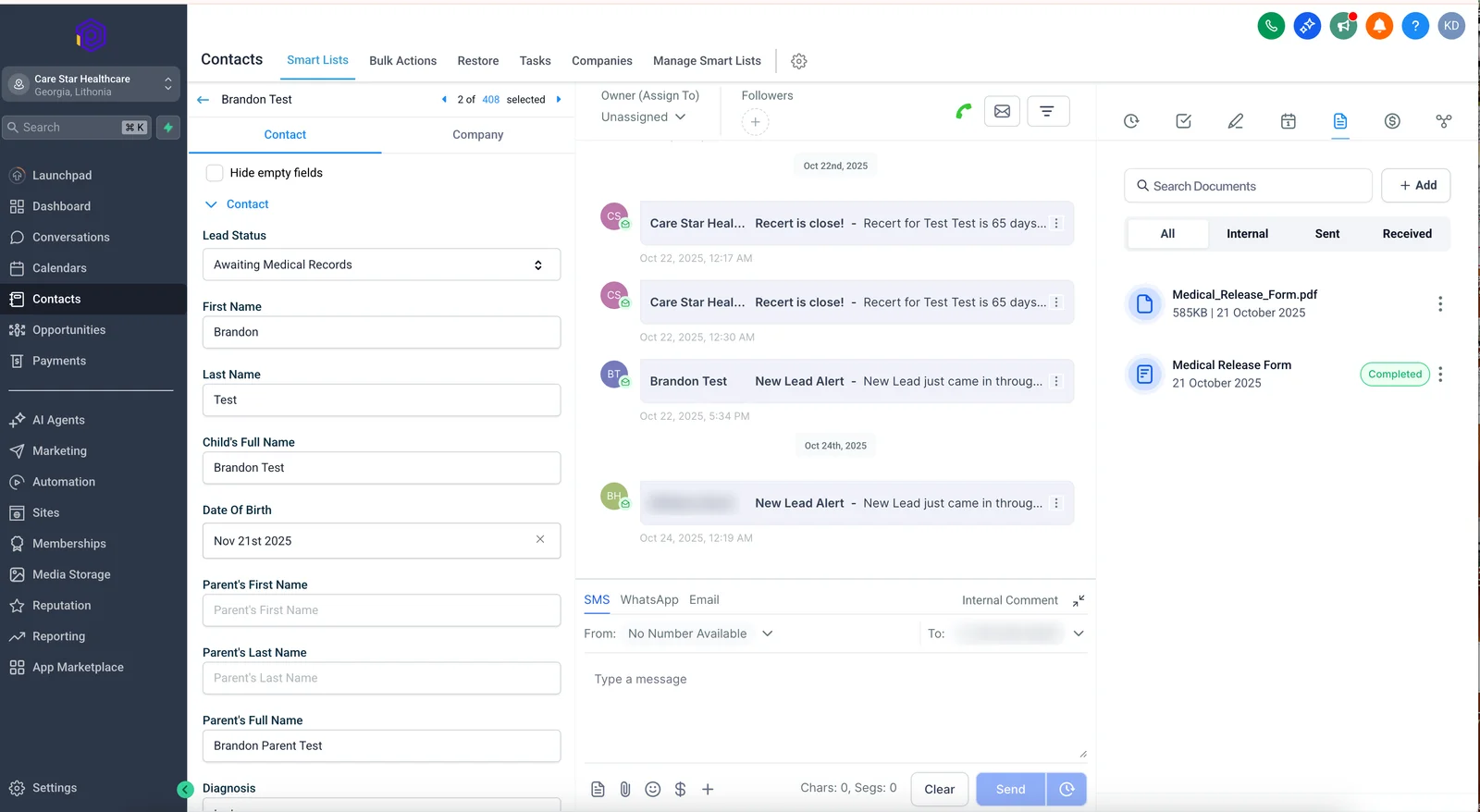
CareStar Healthcare, in Stockbridge, Georgia, moved its patient paperwork, e-signing and faxing into one HIPAA GoHighLevel setup and now saves about 200 work hours a month. The build runs on HighLevel’s HIPAA add-on with a signed BAA and replaced DocuSign with e-signing inside GoHighLevel.
Faxing was the hard part. Documo, the fax provider, signs a BAA; Zapier does not. So the build uses Zapier only to pass record IDs and triggers between GoHighLevel and Documo. No patient details or documents go through Zapier. Patient applications are tracked in a pipeline, staff get alerts when a document needs action, and patients get automatic status updates that contain no health details.
- GoHighLevelHIPAA sub-account, signed BAA. Patient records and documents stay here.
- ZapierNo BAA. Carries only a record ID and a trigger, never patient details.
- DocumoCloud fax with a signed BAA. Sends and receives the actual faxes.
- Back to GoHighLevelStatus updates the pipeline; staff get an alert, patients a neutral update.
Read the full CareStar Healthcare case study.
Common HIPAA mistakes in GoHighLevel accounts
These are the mistakes the team finds most often when reviewing healthcare accounts:
- Assuming the add-on covers every sub-account. It doesn’t until the HIPAA toggle is on in each one.
- Health details in SMS and email copy. “Your Botox follow-up” or “Your lab results are ready” in a text discloses health information. Use neutral wording and a login link.
- Integrations without a BAA. Zapier, Google Sheets on a personal Google account, and form or e-signature tools without a BAA are the usual ones.
- Shared logins. One login for the whole front desk breaks the audit trail and makes MFA useless.
- Snapshots built for marketing, reused for patients. A snapshot from a non-healthcare account brings workflows that text detailed messages and push data to tools without BAAs.
- AI on patient conversations without confirmation. Only Reviews AI is confirmed in HighLevel’s help article. Check before switching on any other AI feature in a HIPAA sub-account.
Should you get help setting up GoHighLevel for HIPAA?
The platform steps are quick to do yourself. Getting help makes sense when the account already holds patient data, uses several integrations, or was built from a snapshot nobody has reviewed. A GoHighLevel audit checks an existing account against the mistakes above. A full GoHighLevel setup builds a healthcare account the right way from the start, and GoHighLevel automation covers patient follow-up, document flows and integrations. All prices are on the pricing page.
Sources
- HighLevel help center, HIPAA Compliance With HighLevel (checked )
- U.S. Department of Health and Human Services, Business Associates
- Zapier, Is Zapier HIPAA compliant? (checked )
- Documo, HIPAA-compliant cloud fax (checked )
FAQ
Is GoHighLevel HIPAA compliant?
Not by default. GoHighLevel can be used in a HIPAA-compliant way once the agency buys HighLevel's HIPAA add-on, signs HighLevel's Business Associate Agreement and switches HIPAA on for each sub-account that handles patient data. How the account is set up after that decides whether it stays compliant.
How much does the GoHighLevel HIPAA add-on cost?
As of October 26, 2026, HighLevel's help center lists the HIPAA add-on at $297 a month per agency. It is available on every agency plan and cannot be cancelled, refunded or downgraded once bought.
Does HighLevel sign a BAA?
Yes. A Business Associate Agreement comes with the HIPAA add-on and is signed inside HighLevel under Settings, Compliance. It covers HighLevel only, so every other tool that touches patient data needs its own BAA.
Can I turn HIPAA off in GoHighLevel later?
No. HighLevel's help center says HIPAA is permanent for the agency once enabled, and the per-sub-account HIPAA toggle cannot be switched off either.
Can I use Zapier with a HIPAA GoHighLevel account?
Only for data that isn't protected health information. Zapier says it isn't HIPAA compliant and won't sign a BAA, so patient names, health details and documents should never pass through it.