GoHighLevel review: an honest take from people who build on it
Disclosure: some links on this page are HighLevel affiliate links. If you sign up through them, The GoHighLevel Experts may earn a commission at no extra cost to you. It doesn't change what we recommend.
GoHighLevel is the best value all-in-one sales and marketing platform for small and mid-sized service businesses. At $97 a month (checked on gohighlevel.com) it replaces five or six separate tools. Its real costs are a steep learning curve and slow, generic support, so it pays off when the account is set up properly. This GoHighLevel review comes from a team that has set up, migrated or audited around 200 GoHighLevel accounts.
Key takeaways
- No other single product does as much as GoHighLevel at $97 a month.
- It’s built for small and mid-sized businesses. Very large companies may still need HubSpot or Salesforce.
- The learning curve is steep. Accounts set up from YouTube often break as the business grows.
- HighLevel support fixes platform bugs. It won’t help you design your account.
- Texts, calls, email and AI are billed on top of the plan. A typical small client pays about $100 to $150 a month in total.
Verdict: is GoHighLevel worth it?
Yes, for most small and mid-sized service businesses. GoHighLevel combines a CRM, pipelines, funnels and websites, email and SMS, calendars, workflows, reviews, memberships and AI agents in one account. Khyatt, founder of The GoHighLevel Experts, has worked with close to every CRM out there: “At $97 a month there’s no other piece of software in the world that is as powerful as GoHighLevel is.”
The catch is setup. GoHighLevel is powerful because it does so much, and that same breadth makes it easy to build badly.
| Area | Verdict | Why |
|---|---|---|
| Value for money | Excellent | One $97–$297 plan replaces a stack of separate tools |
| Breadth of features | Excellent | CRM, funnels, email, SMS, calendars, automation, reviews and AI in one place |
| Automation | Strong | Workflows handle speed-to-lead, nurture, reminders and reactivation |
| AI receptionist | Strong, if trained | Works well once the knowledge base and edge cases are set up |
| Ease of learning | Weak | Steep learning curve; easy to tape a build together |
| Support | Weak | Slow and generic; covers platform bugs, not your build |
| Cost predictability | Fair | Texts, calls, email and AI are usage-based on top of the plan |
What does GoHighLevel do well?
GoHighLevel does three things better than anything else at its price: it puts the whole sales process in one account, it automates follow-up properly, and it can run an AI receptionist that books appointments.
Everything in one account
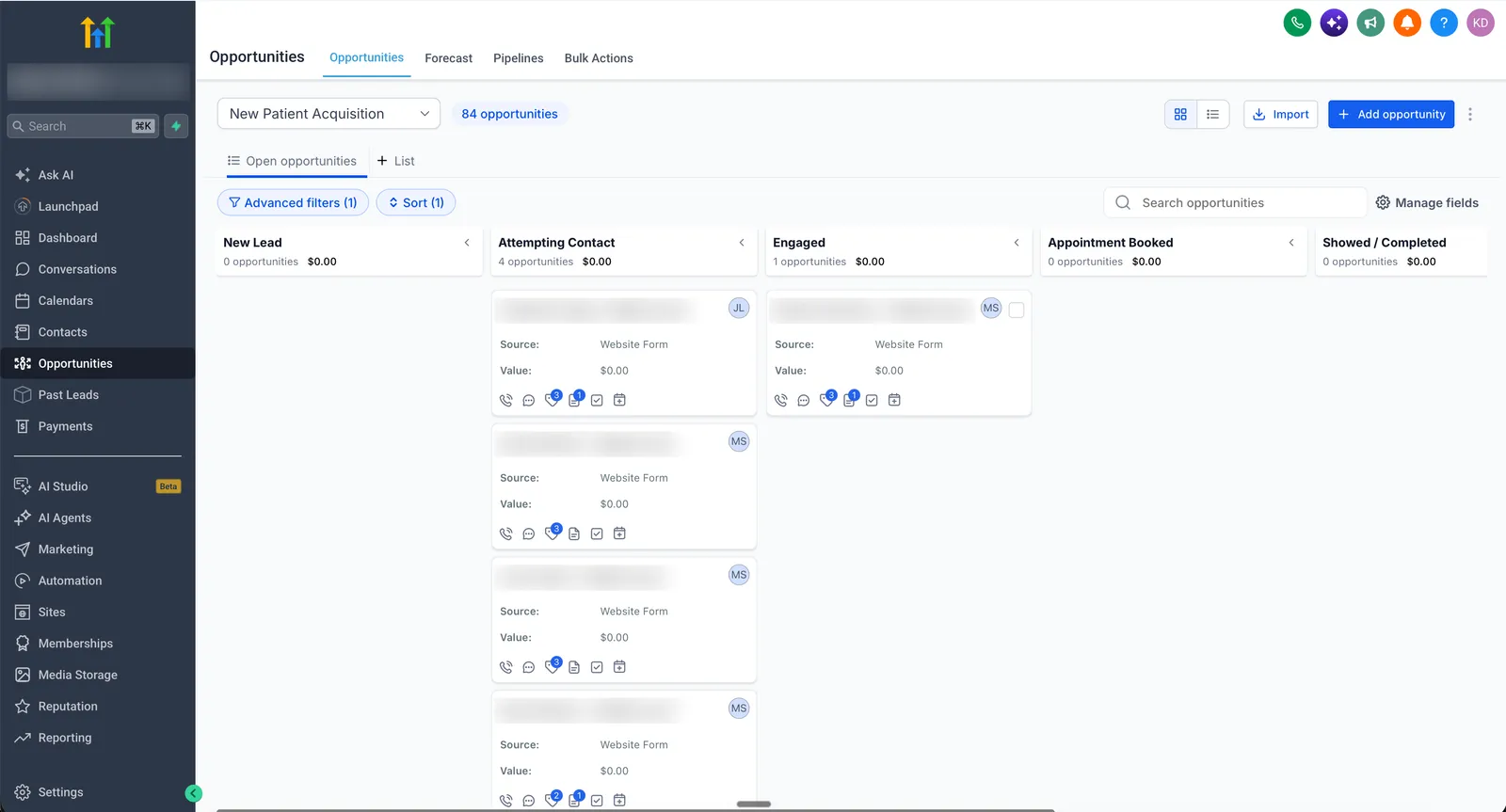
A typical small business pays separately for a CRM, a funnel or website builder, an email tool, a texting tool, a scheduler and a reviews tool. GoHighLevel covers all of them on one plan, with unlimited contacts and unlimited users on every plan (checked on gohighlevel.com). One login, one contact record, one bill.
Automation that actually follows up
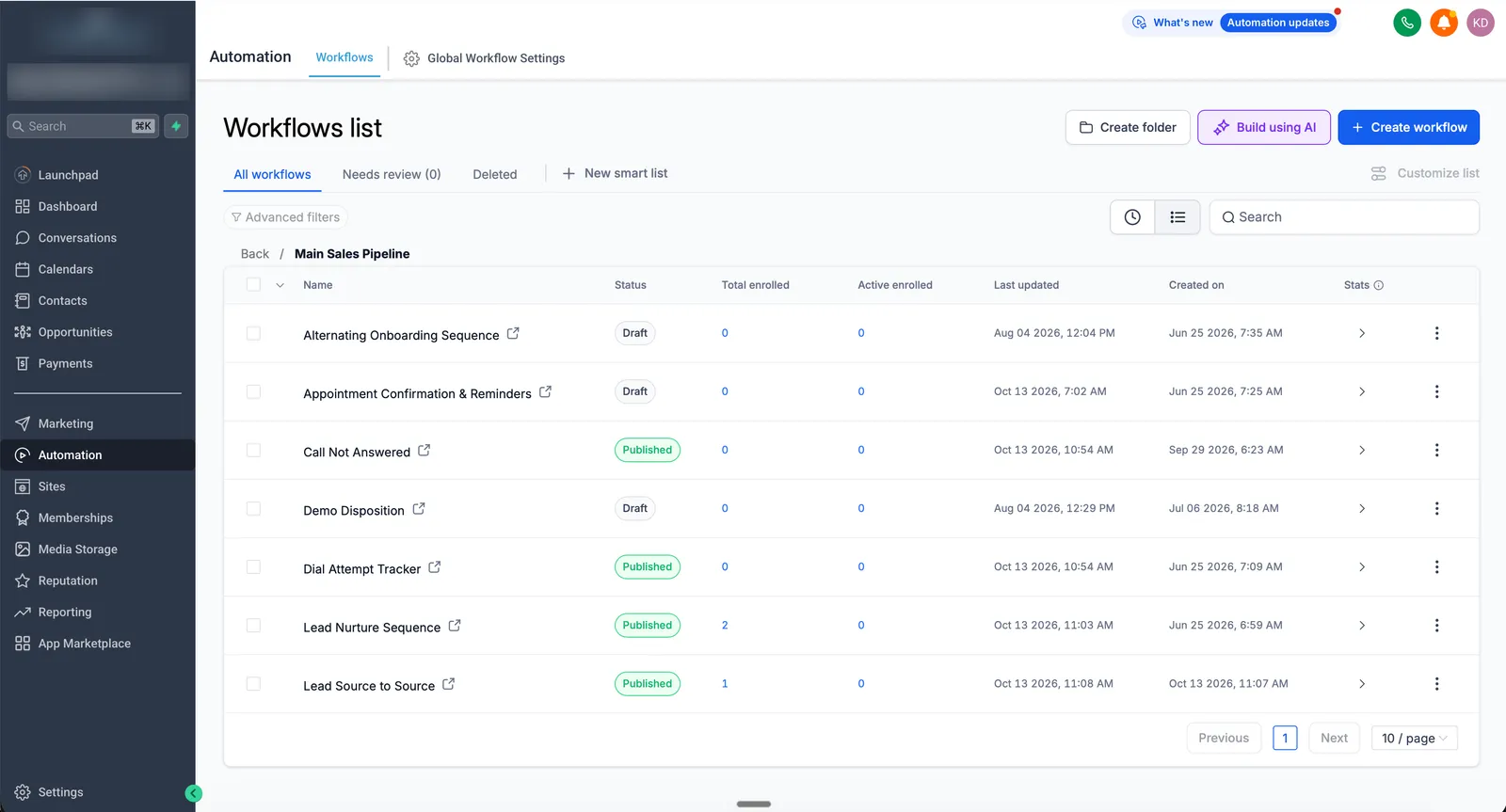
Workflows are where GoHighLevel earns its price. On the team’s builds, average lead response time drops from 3 to 5 hours to about 5 minutes, and booking or show-up rates typically rise 20 to 30 percent. Those numbers come from speed-to-lead workflows, power-dialer call queues, and nurture and reminder sequences that send short videos to pre-sell the call.
An AI receptionist that works, when it’s trained
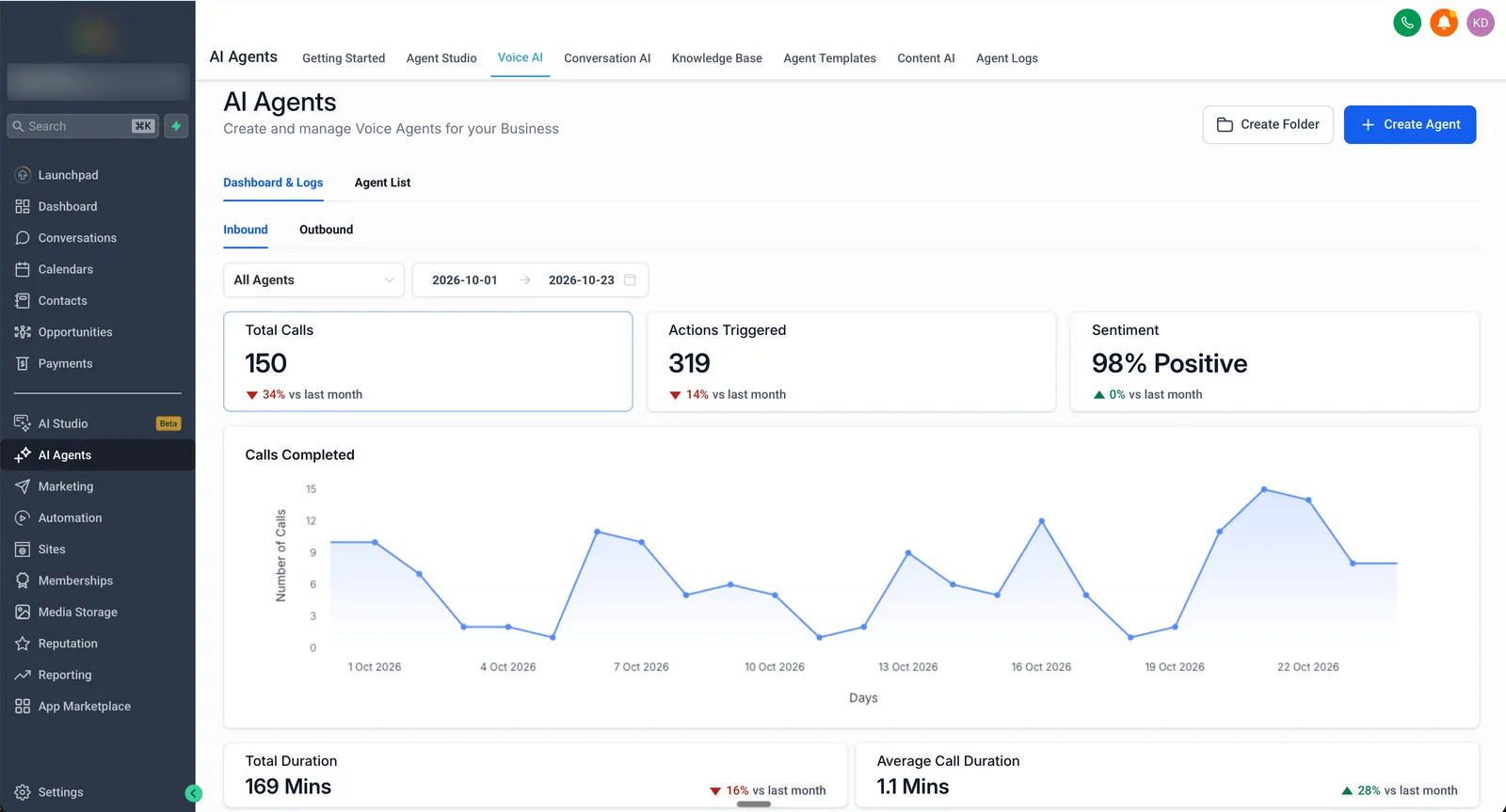
“AI receptionists don’t work” is usually said by people who haven’t set one up properly. GoHighLevel’s Voice AI and Conversation AI can book appointments, answer questions, sound natural and connect to other tools, but only after the knowledge base is built and the AI is trained on the edge cases the business handles. It won’t work straight out of the box. For roofing company RS Five, GoHighLevel’s Voice AI handled 150 inbound calls and triggered 319 actions from October 1 to 23, 2026, with 98 percent positive sentiment (RS Five case study).
Where does GoHighLevel fall short?
GoHighLevel’s two real weaknesses are how hard it is to learn and how little help HighLevel’s support gives with your actual build.
A steep learning curve
GoHighLevel is complex. There’s a lot going on and a lot of features, and it’s harder than it looks. Many of the team’s clients first tried to set it up themselves from YouTube videos and tutorials. The usual result is a taped-together account that works at first, then collapses as the business adds workflows, users and integrations: errors appear, and the wrong people start getting the wrong messages. If the business runs on the account, that’s a real risk. That’s the gap a GoHighLevel agency fills: the account is built for you, tested, and your team is trained on it.
Support is slow and generic
HighLevel’s support helps with platform bugs: a feature that isn’t working, a billing question, an outage. It doesn’t help you decide how your pipelines, workflows and integrations should be built, and responses can be slow. HighLevel sells a Premium Support add-on at $500 a month (checked on gohighlevel.com), but it’s still platform support, not a build partner. For straight answers on how your account should be built, a GoHighLevel consultant helps, and a GoHighLevel virtual assistant can run the day-to-day work.
What goes wrong in real accounts
These are the mistakes the team fixes most often in accounts other people built:
- Weak account and pipeline structure that doesn’t match how the business sells.
- Deprecated workflow actions still running in live workflows.
- Workflows far more complex than they need to be, and no naming system, so every problem means opening every workflow.
- Messy account hygiene: dead workflows and old messages left running.
- No lead source attribution, so nobody knows whether leads came from Facebook, the website or referrals.
- No reporting on leads, sales reps or sales calls.
- The power dialer not used for speed-to-lead.
- Plain-text reminders instead of nurture and reminder sequences that educate and pre-sell.
None of these are platform faults. They’re build faults, and they’re why setup matters as much as the software.
How much does GoHighLevel really cost?
GoHighLevel costs $97, $297 or $497 a month depending on the plan, plus usage fees for texts, calls, email and AI. A typical small business client of The GoHighLevel Experts pays about $100 to $150 a month in total, on the Starter plan with light usage.
| Plan | Monthly | Best for |
|---|---|---|
| Starter | $97 | A single business; up to 3 sub-accounts |
| Unlimited | $297 | Agencies or multi-location businesses; unlimited sub-accounts, basic API |
| Agency Pro | $497 | Agencies reselling GoHighLevel with SaaS Mode |
On top of the plan, HighLevel charges for usage: US texts at $0.00747 per segment plus carrier fees, outbound calls at $0.0166 a minute, and email at $0.675 per 1,000 (checked on help.gohighlevel.com). AI Employee is $50 or $97 a month per sub-account if you want AI agents. The full breakdown, with example monthly bills, is on our GoHighLevel pricing guide.
GoHighLevel’s standard free trial is 14 days on every plan; signing up through HighLevel’s bootcamp page gives 30 days plus a free live onboarding class (checked on gohighlevel.com). Start a 30-day GoHighLevel free trial.
Who should use GoHighLevel, and who shouldn’t?
GoHighLevel is a good fit for:
- Service businesses (med spas, clinics, home services, roofing, coaching, financial advice) that sell through leads, calls and appointments.
- Businesses paying for several separate tools that don’t talk to each other.
- Agencies that want to run client accounts, or resell software under their own brand.
GoHighLevel is the wrong fit for:
- Large companies of roughly 500 to 1,000 people or more that need the most advanced features of HubSpot or Salesforce.
- Teams that want to set it up themselves with no time to learn it. They’re better off getting it built, or choosing a simpler tool.
If you’re still deciding what the platform is and what it’s used for, start with what GoHighLevel is. If you’ve chosen it and want it built properly, the GoHighLevel setup service builds the full account at a fixed price, live in 2 to 4 weeks, and our guide on how to hire a GoHighLevel expert covers what to check before you hire anyone. All prices are on the pricing page.
Sources
- HighLevel, Pricing (checked )
- HighLevel help center, Phone System Pricing & Billing Guide (checked )
- HighLevel help center, LC Email pricing (checked )
- HighLevel help center, AI Product Pricing (checked )
FAQ
Is GoHighLevel worth it?
For most small and mid-sized service businesses, yes. At $97 a month it replaces a CRM, funnel builder, email and SMS tool, calendar, reviews tool and automation tool, and no other single product does that much at the price. It is worth less if nobody sets it up properly.
What are the downsides of GoHighLevel?
The two biggest are a steep learning curve and support that is slow and generic. HighLevel support helps with platform bugs, not with how your account is built. Usage fees for texts, calls, email and AI also come on top of the plan price.
How much does GoHighLevel really cost per month?
Plans start at $97 a month for Starter, $297 for Unlimited and $497 for Agency Pro, as of October 26, 2026. A typical small business client of The GoHighLevel Experts pays about $100 to $150 a month in total, on Starter with light texting, calling and email.
Is GoHighLevel better than HubSpot or Salesforce?
For small and mid-sized businesses, GoHighLevel does more for far less money. HubSpot or Salesforce make sense for large companies of 500 to 1,000 people or more that need their most advanced features.
Can I set up GoHighLevel myself?
You can, but it has a real learning curve. Accounts set up from YouTube tutorials often work at first and then break as the business adds more workflows, users and integrations.