How to track UTMs and lead sources in GoHighLevel
To track UTMs in GoHighLevel, send traffic to a page with UTM parameters on the link and capture the lead with a GoHighLevel form, survey, calendar, chat widget or order form on that same page. GoHighLevel saves the UTMs, landing page and source on the contact automatically. Then report on them by first or latest attribution, and copy the source onto each opportunity so you see revenue per channel.
Key takeaways
- GoHighLevel records attribution on its own forms, surveys, calendars, chat widget and order forms. Forms on WordPress or Webflow need the External Tracking script.
- Every contact keeps two records: first attribution (never changes) and latest attribution (updates on every new conversion).
- The form has to be on the page the visitor landed on. Send them to a second page and the UTMs are lost.
- UTMs are case-sensitive. Use
fb_adas the source for Facebook and Instagram ads;facebookis deprecated. - Phone calls need a number pool to be tracked by source.
- The Lead Source Report counts opportunities by opportunity source, so set that field on every opportunity or most deals show as N/A.
What does GoHighLevel track on its own?
GoHighLevel records attribution whenever a visitor completes one of these in the same session they arrived in: a form or survey, a calendar booking, the chat widget (once they give contact details), or a one- or two-step order form (checked on help.gohighlevel.com). It saves the session source, landing page URL, referrer and every UTM parameter on the contact.
Open any contact and look under the Activity tab, bottom right, to see what was captured. Each contact has two records:
- First attribution: the first tracked touchpoint. It never changes, so it tells you which channel found the customer.
- Latest attribution: the most recent tracked touchpoint. It updates each time the contact converts again, so it tells you what brought them back.
A lead who first found you on Google and booked months later from a Facebook retargeting ad shows Organic Search as first attribution and Paid Social as latest. Both are true, and which one you report on depends on the question you’re asking.
How GoHighLevel decides the source
HighLevel sorts every lead into a source using fixed rules, checked in order (checked on help.gohighlevel.com):
| Source | What triggers it |
|---|---|
| Paid Search | utm_source contains "adwords", or a Google or Microsoft click ID (gclid, wbraid, gbraid, msclkid) is on the link, or UTMs plus a google.com referrer |
| Paid Social | utm_source contains fb_ad, linkedin_ad, twitter_ad or reddit_ad, or a WhatsApp click-to-chat ID |
| Social Media | The visitor came from a social site with no ad tags |
| Organic Search | The visitor came from Google, Bing, Yahoo or DuckDuckGo with no ad tags |
| Referral | The visitor came from any other website |
| Direct Traffic | No referrer and no tracking on the link |
| Others | Incoming calls, texts, emails, WhatsApp or Facebook messages |
| CRM UI | Someone created the contact by hand |
| Third-Party | An integration such as Zapier created the contact |
This is why the exact utm_source value matters. Tag a Facebook ad utm_source=Facebook and GoHighLevel has no rule for it. Tag it fb_ad and it lands in Paid Social.
Source is not the same as UTM source
GoHighLevel has a separate Contact Source field. Forms and surveys have a hidden Source element that fills it in, and a ?source= parameter on the form link overrides it for that submission (checked on help.gohighlevel.com). It’s a plain label, useful for “Website contact form” or “Spring open house”. UTMs feed attribution; the Source field feeds the contact and, if you pass it on, the opportunity. A good setup uses both.
Step 1: Build UTM links GoHighLevel reads correctly
Decide your naming once and write it down, because GoHighLevel treats Spring-Promo and spring-promo as two different campaigns (checked on help.gohighlevel.com). Lowercase, hyphens, no spaces.
| Channel | utm_source | utm_medium | utm_campaign |
|---|---|---|---|
| Facebook and Instagram ads | fb_ad | paid-social | your-campaign-name |
| Google Ads | Leave it to the gclid (auto-tagging on) | Optional: your-campaign-name | |
| Email newsletter | newsletter | november-offer | |
| Google Business Profile website link | google-business-profile | organic | gbp-website |
| Instagram bio or Linktree | social | bio-link | |
| Printed flyer or QR code | flyer | offline | spring-mailer |
| Partner or referral site | partner-name | referral | partner-name |
A finished link looks like this:
https://yoursite.com/consult/?utm_source=fb_ad&utm_medium=paid-social&utm_campaign=spring-botox
For Google Ads, keep auto-tagging on so every click carries a gclid; that alone classes the lead as Paid Search. If you use HighLevel’s built-in templates for Facebook, Instagram or Google Ads, don’t stack your own extra parameters on top of them.
Keep the list in a shared sheet. The day someone on the team invents their own spelling, your reports split in two.
Step 2: Make sure the lead is captured on the landing page
UTM data is only saved if the visitor fills in the form on the page they landed on. If your ad sends people to a page with a “Book now” button that opens a second page with the form, the UTMs are gone by the time they submit (checked on help.gohighlevel.com). HighLevel’s own fix: put the form on the landing page, as an embedded section or a pop-up.
If your website isn’t built in GoHighLevel
Forms built in WordPress, Webflow or other builders don’t report to GoHighLevel on their own. HighLevel’s External Tracking script fixes that: copy it from Settings → External Tracking, paste it before the closing body tag on every page, and it detects your forms, creates contacts and captures UTMs, page URLs and session data (checked on help.gohighlevel.com).
It works with Gravity Forms, WPForms, Contact Form 7, custom HTML forms and most no-code builders. It doesn’t work with forms inside iframes, pop-up widgets without a real form element, or scripts that hide their inputs. Each form needs a real form element, fields with name attributes, and an email field.
If you embed a GoHighLevel form on an outside site instead, test it before you trust it: open the page with a test UTM link, submit, and check the contact’s Activity tab. If the UTMs are missing, switch that form to External Tracking or move the page into GoHighLevel.
Facebook lead ads
Facebook lead forms don’t send people to a page, so there’s no URL to carry UTMs. Treat them as their own source in the workflow instead: the workflow that catches the lead tags it (for example “source: facebook lead ad”) and sets the opportunity source, so it still shows up correctly in your reports.
There are several ways to label them. On client builds, we map each Facebook lead form separately and store the name of the campaign the lead came from in a custom field. That keeps the source specific: you see which campaign produced the lead, not just “Facebook”. From there, the workflow sets the opportunity source, so the lead lands in the pipeline and the reports with the right label.
Phone calls
A caller who sees your number on a landing page and dials it never fills in a form. To know which ad or channel they came from, set up a number pool under Settings → Phone System → Phone numbers → Number Pools. GoHighLevel shows each visitor a different tracking number and records where that visitor came from when they call (checked on help.gohighlevel.com).
What to know before you set one up:
- A pool needs at least four numbers, and each number has its own monthly fee.
- Results show under Reporting → Call Report, with a source column and, for Google Ads, the keyword when you pass it on the final URL.
- The number calls forward to has to be an outside line, not another GoHighLevel or Twilio number, or calls loop.
- Tracking applies to new calls only. Old calls keep the source they had.
A simpler option for small accounts is one dedicated number per channel: one on the Google Business Profile, one on the flyers, one on the website. The GoHighLevel real estate builds work this way, with a phone number per lead source.
Step 3: Check it’s working before you spend
Run every channel through once before the campaign goes live:
- Open each UTM link in a private browser window.
- Fill in the form, book the calendar or start the chat on that same page.
- Open the new contact and check the Activity tab: source, campaign and landing page should all be there, spelled exactly as in your sheet.
- Call the tracking number and check the Call Report.
- Delete the test contacts, or tag them “test” and filter them out of reports.
Ten minutes of testing saves a month of ad spend you can’t account for.
Step 4: Put the source on every opportunity
Most owners don’t just want to know where leads came from. They want to know which channel brought in customers and revenue. That lives on the opportunity, not the contact.
HighLevel’s Lead Source Report groups opportunities by their opportunity source and shows totals, open, won, lost and abandoned for each (checked on help.gohighlevel.com). Any opportunity without a source lands under N/A. The Create Opportunity workflow action leaves the source blank unless you set it (checked on help.gohighlevel.com), which is why so many accounts show most of their pipeline as N/A.
The fix is part of the workflow that creates the opportunity:
- Set Opportunity Source in the Create Opportunity action, either typed in per form (“Website consult form”) or filled from the contact’s source value (checked on help.gohighlevel.com).
- Set the opportunity value when the deal is won, so the report shows revenue, not just counts.
- Tag the contact with the source as well. Tags are what most people filter smart lists and bulk messages by.
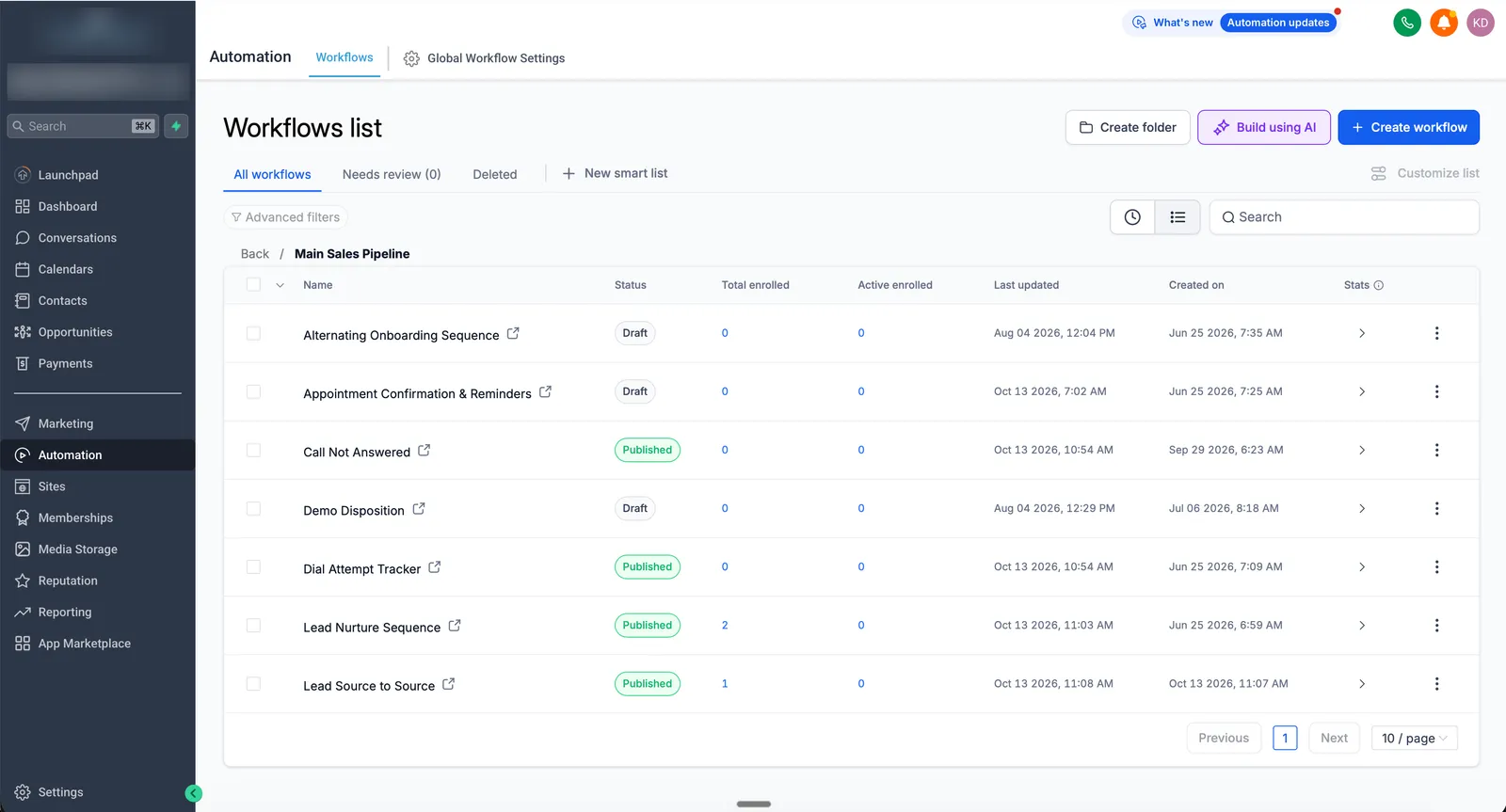
On RS Five’s roofing build, canvassers, Meta, Google, Google Business Profile and the website all feed one pipeline, each tagged by source, so the sales team sees where every inspection came from.
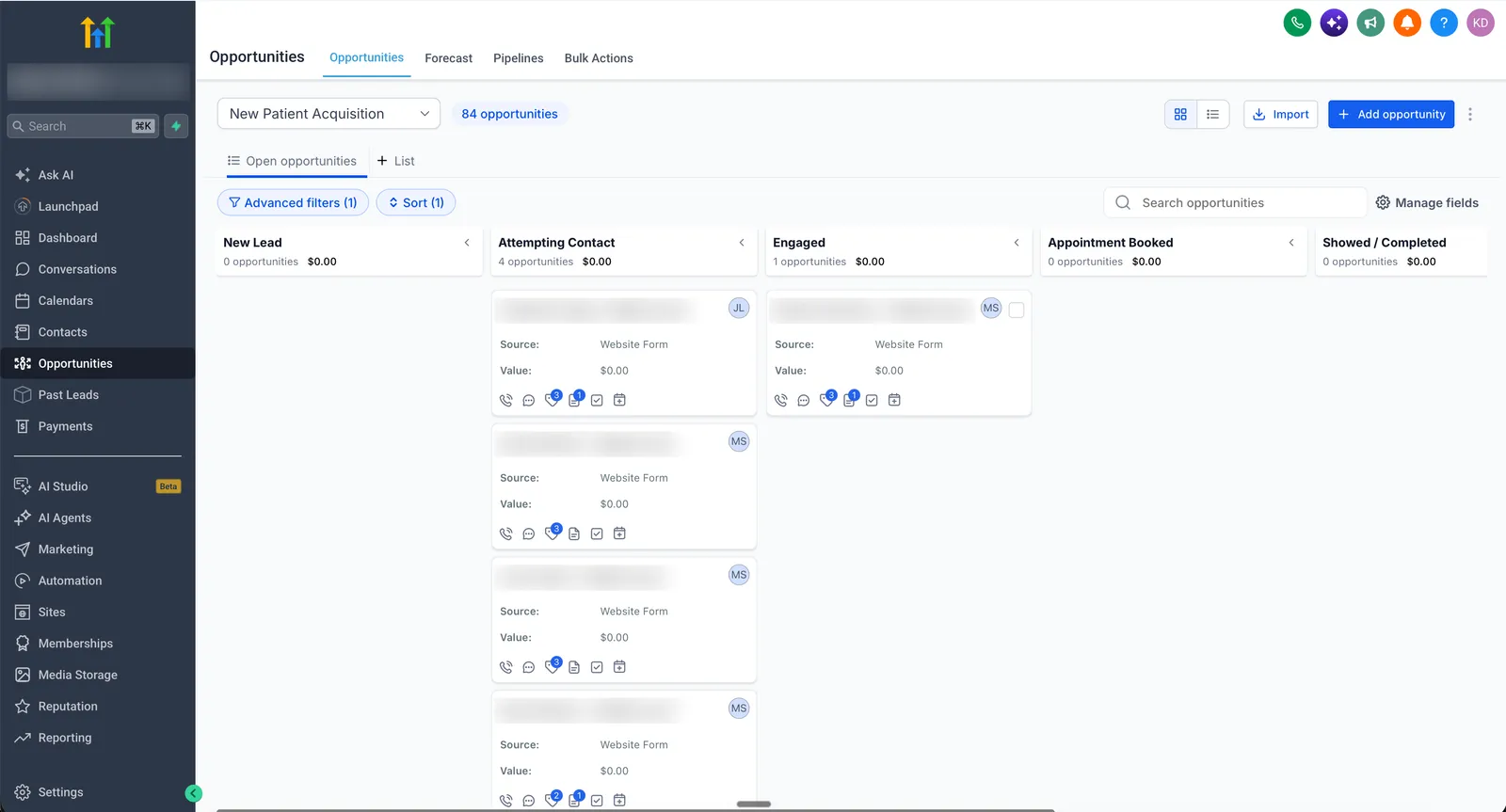
Once the source is set, it shows on every opportunity card, so the team sees where a lead came from without opening the contact. On this medical practice’s new-patient pipeline, every card carries its source and value.
Step 5: Report on it
Once the data is clean, there are three places to read it:
- Dashboard widgets. Contacts by Source, Contacts by Medium and Top Sources use latest attribution. For first attribution or UTM breakdowns, build a custom Contact or Opportunity widget, set Attribution to First or Latest in its conditions, and the UTM fields become available as filters (checked on help.gohighlevel.com).
- The Lead Source Report for opportunities and wins by source.
- Smart lists and workflow filters to act on it: follow up Facebook leads differently from referrals, or send a review request only to customers from Google.
Start with one question a month: which source brought in the most won value for the least spend? That’s usually enough to move budget.
Common mistakes
- Capitalized or inconsistent UTMs.
FB_ad,fb-adandfb_adare three sources in your report. utm_source=facebook. It’s deprecated. Usefb_ad.- The form on a second page. The visitor clicks “Get a quote”, lands on a new page, and the UTMs don’t come with them.
- Redirects that strip the query string. Link shorteners and some site redirects drop everything after the question mark. Test the final URL.
- No opportunity source. Contacts are tracked, but the pipeline shows N/A for most deals, so you can’t see revenue by channel.
- Counting leads, not customers. The cheapest channel for leads is often the most expensive per customer. Report on won value.
- Testing in your own normal browser. Your existing session and cookies can mask what a new visitor sees. Test in a private window.
When to get help
Getting attribution right touches your website, ads, forms, phone numbers and pipeline, so it breaks quietly when one piece changes. If you’re spending on ads and can’t say which ones bring customers, it’s worth having it built properly once. Lead source tracking, opportunity sources and a reporting dashboard are part of every GoHighLevel CRM setup and full GoHighLevel setup. If you have an account already and the numbers don’t add up, a GoHighLevel audit shows where the data is getting lost. Forms on another website builder are covered under GoHighLevel integrations.
Sources
- HighLevel: Understanding attribution source, Source field in forms and surveys, Lead Source Report, Attribution and UTM filters on custom widgets, External Tracking for outside forms, Call tracking with a number pool, Create Opportunity action, Update Opportunity action
FAQ
Does GoHighLevel track UTM parameters automatically?
Yes, for its own forms, surveys, calendars, chat widget and order forms. When a visitor lands on a page with UTM parameters and completes one of those in the same session, GoHighLevel saves the UTMs, landing page and session source on the contact. Forms on other website builders need HighLevel's External Tracking script.
What is the difference between first and latest attribution in GoHighLevel?
First attribution is the first tracked touchpoint for a contact and never changes. Latest attribution is the most recent tracked touchpoint and updates every time the contact converts again. Use first attribution to see which channel finds new customers and latest to see what brings them back.
Why are my GoHighLevel leads showing as Direct Traffic?
Usually the UTM parameters were lost before the form was submitted. Common causes are a visitor clicking to a second page before filling in the form, a redirect that strips the query string, a form embedded in a way GoHighLevel can't read, or links shared without UTMs.
What utm_source should I use for Facebook ads in GoHighLevel?
Use fb_ad. HighLevel classifies a utm_source containing fb_ad as Paid Social, and the older value facebook is deprecated. For Google Ads, the gclid that Google adds to the click is enough for GoHighLevel to class the lead as Paid Search.
Can GoHighLevel track which ad a phone call came from?
Yes, with a number pool. GoHighLevel shows a different tracking number to each website visitor and records the source of the visit when they call. Results show in the Call Report. A number pool needs at least four numbers, each with its own monthly fee.